
InnoScript12 - Download
You'll be able to download in few seconds.
Publisher Description
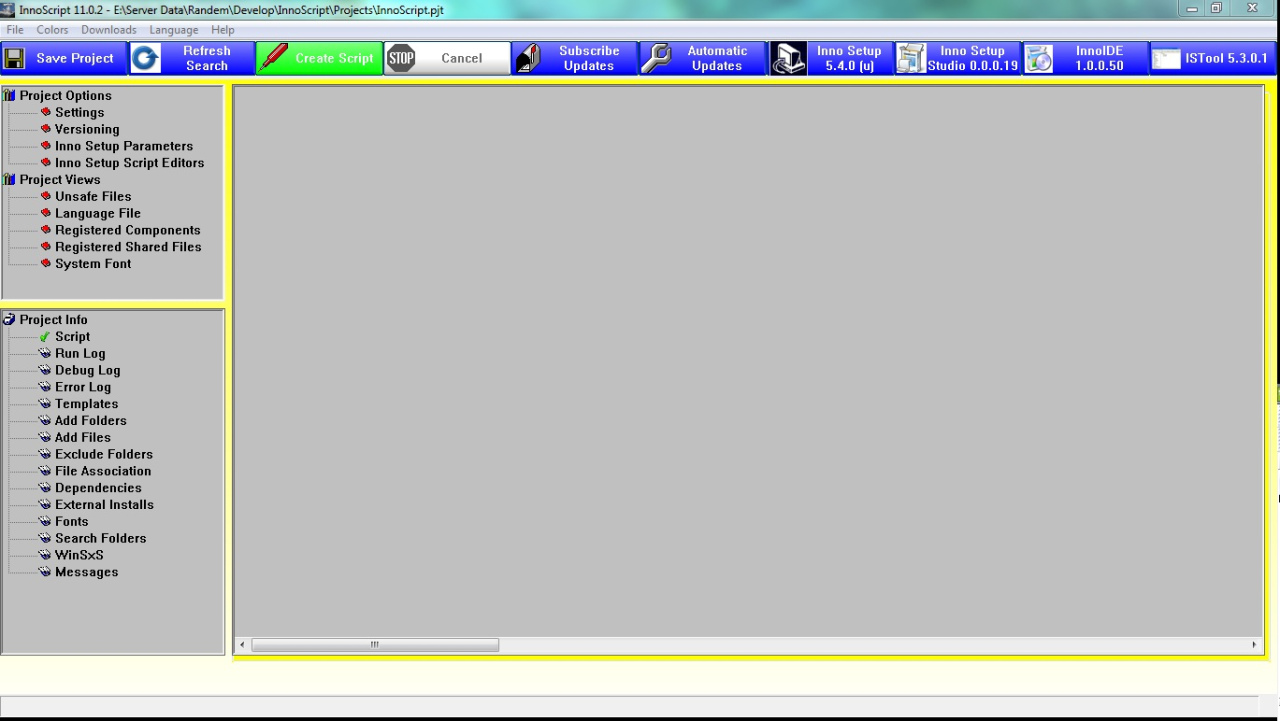
The Top Script Generator for for Jordan Russell's Inno Setup. Generate an Inno Setup Script from Visual Basic's .NET, VBP, VBG or PDW's Setup.lst file or any other programming language. InnoScript will find all the dependencies that your project needs to run. Runs on XP/Vista/Windows 7/Windows 8. (You will need to install Inno Setup also) Inno Setup can be downloaded from jrsoftware.org. InnoScript is the longest and best supported script generator (since 1998) for Jordan Russell's Inno Setup and we will continue to give excellent support with your help.
In order to get the same or better results as previous versions, select the destination folder to deploy to on the Add Files, Add Folders. Select if to use the file of folder on the Exclude Folders, Templates and Search Folders Tabs. This version will allow you to deploy your apps to Vista/Windows 7/Windows 8 properly without needing admin privileges to run them (unless you do some other bad things). However in order to do this you may need to change where your app uses its data files that it needs to update and written to. These data files should be in your Local Profiles' Application Data Folder not in your app's folder. You can get your Local Profiles' Application Data Folder location by getting it from the system using API's (You can get the roaming profile folder also). Get the folder's name then place it in a variable and use it just as you would App.Path to locate your data files, basically you would just substitue the variable in the places where you use App.Path now.
InnoScript speaks your language with our Lanugage Packs. Now with Unicode support for any language. Convert the Language Pack and drop it in the language folder. That's It!!! Offers Windows Side-By-Side support.
About InnoScript
This Install & Setup program is available in English, Dutch, French, German, Italian, Portuguese, Spanish, Swedish. It was last updated on 29 September, 2026. InnoScript is compatible with the following operating systems: Windows.
The company that develops InnoScript is Randem Systems, Inc.. The latest version released by its developer is 12.
The download we have available for InnoScript has a file size of 22.0 MB. Just click the green Download button above to start the downloading process. The program is listed on our website since 2016-12-20 and was downloaded 0 times. We have already checked if the download link is safe, however for your own protection we recommend that you scan the downloaded software with your antivirus. Your antivirus may detect the InnoScript as malware if the download link is broken.
How to install InnoScript on your Windows device:
- Click on the Download button on our website. This will start the download from the website of the developer.
- Once the InnoScript is downloaded click on it to start the setup process (assuming you are on a desktop computer).
- When the installation is finished you should be able to see and run the program.
Program Details
General
System requirements
Download information
Pricing
Version History
version 12
posted on 2016-12-20
See Version History on support site
Disclaimer
External Download
We do not host InnoScript on our servers. We did not scan it for viruses, adware, spyware or other type of malware. This app is hosted by the software publisher and passed their terms and conditions to be listed there. We recommend caution when installing it.
The external download link for InnoScript is provided to you by apps112.com without any warranties, representations or guarantees of any kind, so access it at your own risk.
If you have questions regarding this particular app contact the publisher directly. For questions about the functionalities of apps112.com contact us.
